Port an existing application
The guided port flow separates moving code from transferring a live W3DS identity. It creates an empty destination first, lets you integrate and push safely, stages any existing eName migration, and changes the public platform only when an administrator explicitly activates the cutover.
Use this path for an existing application, especially when it already has .w3ds configuration or a permanent platform eName. Do not use the generic repository import flow as a substitute for the guided W3DS port.
Create the destination
From New repository, choose Port an existing app.
- Select the destination owner.
- Choose whether the new repository is private.
- Enter the application's display name.
- Confirm the destination default branch.
- Select Create destination repository.
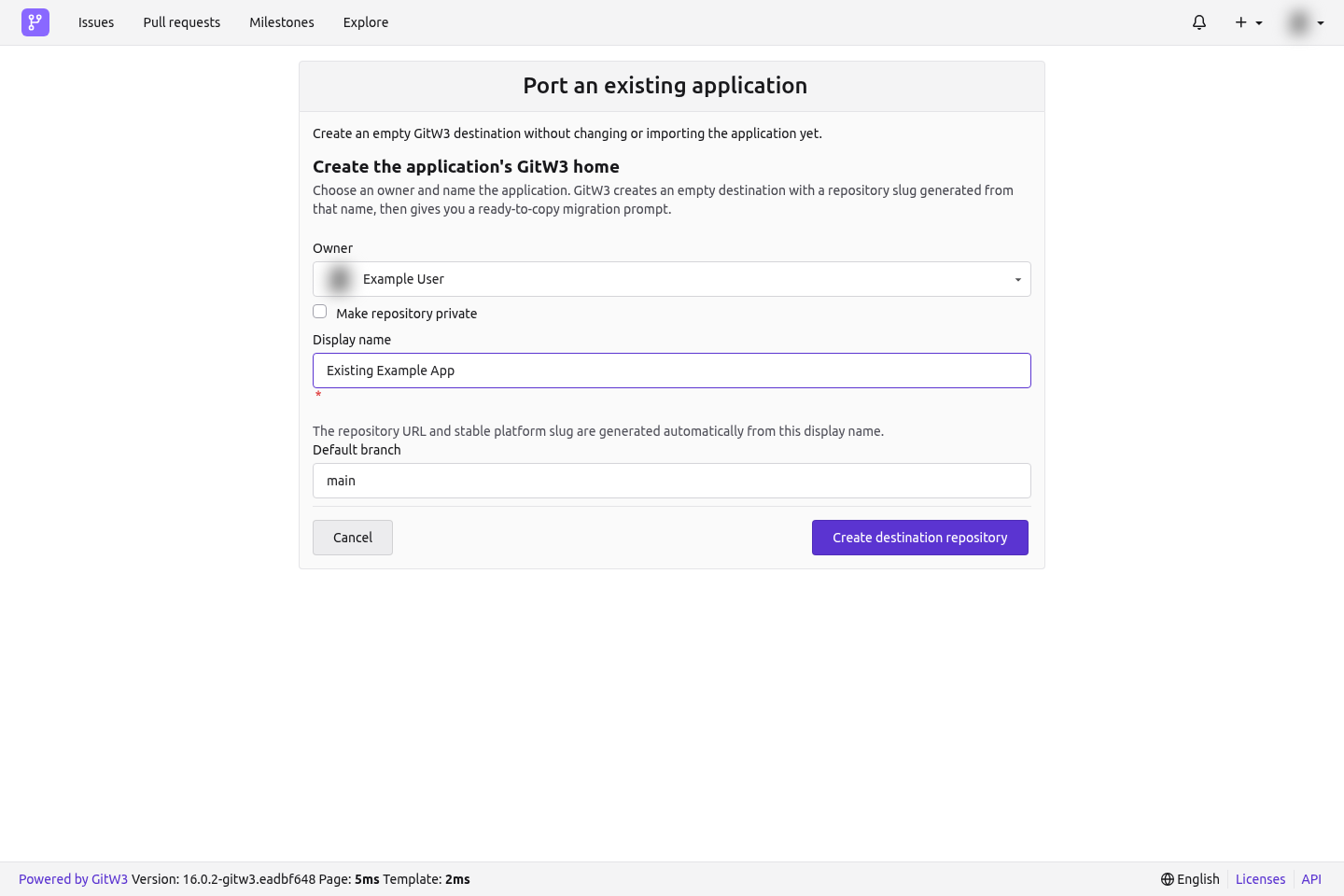
GitW3 generates the repository slug from the display name. At this point it creates only an empty destination: it does not pull, modify, or publish the existing application.
The handoff page remains available at:
https://git.w3ds.metastate.foundation/<owner>/<repository>/onboarding/port
You can leave and return to that URL at any time.
Step 1: Push the application
The first handoff step shows the repository's exact HTTP and SSH remotes and a Copy migration prompt button. Give that prompt to a coding agent from inside the application's existing local Git checkout.
The generated prompt tells the agent to:
- inspect the existing branch, remotes,
.w3dsdirectory, and eName before editing; - install the current W3DS skill;
- preserve the application's behavior and complete Git history;
- create a manifest only when no W3DS identity already exists;
- preserve any existing eName exactly;
- rename an existing
originto the first available upstream-style name; - set GitW3 as the new
origin; - run relevant checks; and
- push the current
HEADto the GitW3 default branch without rewriting history.
The prompt contains repository coordinates only. It never contains the application token or another credential.
Move the history manually
If the existing checkout already has an origin, preserve it first:
git remote -v
git remote rename origin upstream
git remote add origin https://git.w3ds.metastate.foundation/<owner>/<repository>.git
git push -u origin HEAD:main
If upstream is already used, choose upstream-2 or another unused name. If there is no origin, skip the rename. Copy the real URL and default branch from the handoff page rather than typing them from memory.
Before pushing, ensure one of these states is true:
- New to W3DS: a valid
.w3ds/platform.jsonexists withenameset tonull. - Existing W3DS platform: the existing
.w3dscontent and eName remain intact.
Never invent an eName, token, migration proof, ontology identifier, endpoint, or credential. Never force-push unless you have independently reviewed and approved the history rewrite.
After the default branch contains application code, return to the handoff and select Check for pushed code. GitW3 then unlocks step 2.
Step 2: Migrate the existing eName
Skip this transfer when the application has no existing eName; continue to the repository's W3DS tab with the unclaimed manifest from step 1.
When an existing permanent eName is present:
- Enter that platform eName and its current platform token.
- Select Review and sign migration.
- Review the source platform and exact destination repository in the connected eID wallet.
- Approve the signed transfer statement.
GitW3 checks that:
- the token resolves exactly one valid
PlatformProfilefor that eName; - the connected wallet is an author of the platform profile;
- the destination manifest is readable; and
- the manifest does not already contain a conflicting identity.
The raw token is sent to W3DS for validation and is not stored by GitW3. GitW3 retains only a one-way fingerprint, so you will need the original token again for final activation.
After the wallet signature is verified, GitW3 commits the staged migration proof to the repository. The live public platform still has not changed.
If an older profile names no human authors, the signed migration enters an administrator review queue. Approval stages the repository but still does not activate the public cutover.
Step 3: Activate the public cutover
Before activation:
- Review the staged identity and repository manifest.
- Confirm the complete application is on the default branch.
- Publish the required stable release and ensure its version matches the manifest.
- Open the repository's W3DS tab as a repository or organization administrator.
- Re-enter the exact original platform token.
- Select Activate migration and confirm the irreversible management transfer.
Activation revokes the original token for PlatformProfile writes and transfers live management to this GitW3 repository. Until that final action succeeds, the old public listing remains in control.
Stop instead of guessing when
- authentication to either remote fails;
- the GitW3 destination is unexpectedly non-empty;
- local and destination histories conflict;
- an existing eName would be removed or replaced;
.w3ds/platform.jsonis invalid;- the connected wallet is not an author of the existing profile; or
- a push would require rewriting history.
Fix the underlying issue, then return to the same handoff URL. The flow is designed to be resumed later.