Create a new platform
Use Make a new platform when the application does not already have a W3DS platform identity. GitW3 creates the repository and initial manifest, then provisions the permanent platform eName asynchronously.
From the + menu, select New repository, then choose Make a new platform.
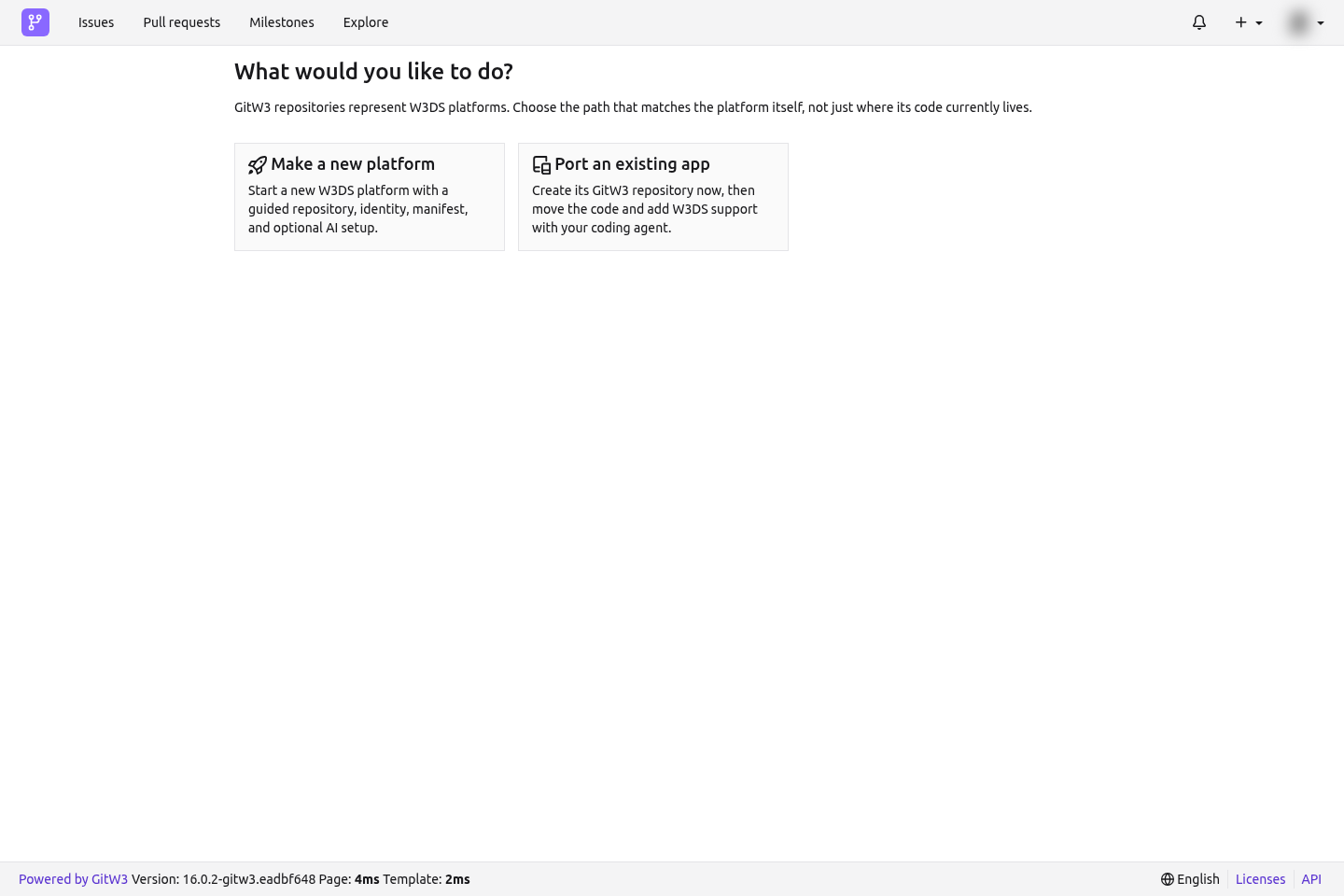
Step 1: Repository
Choose the owner and describe where the code will live:
- Select your user or an organization as Owner.
- Decide whether the repository is private.
- Enter the human-facing Display name.
- Confirm the default branch, normally
main.
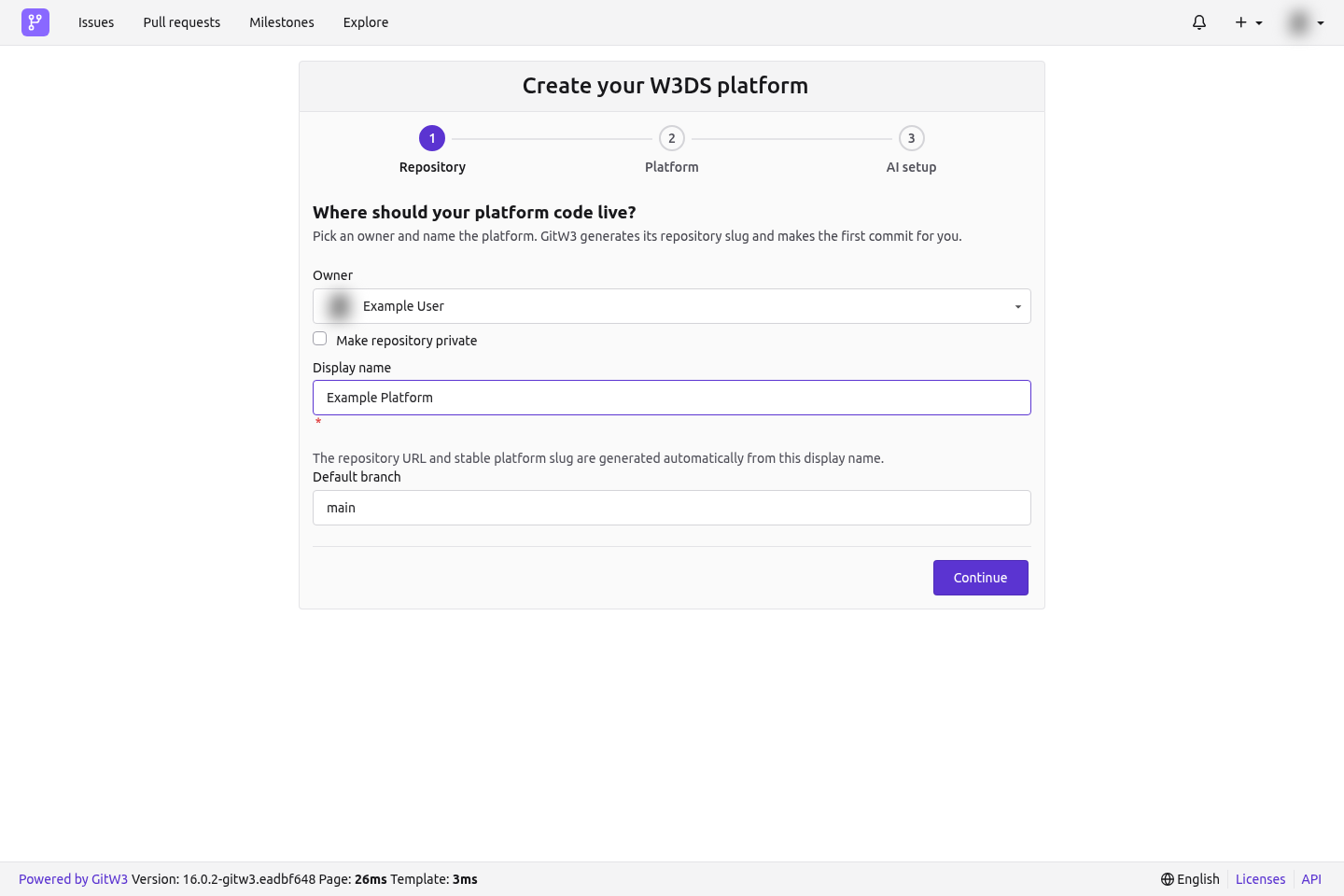
You do not choose a repository slug. GitW3 derives a URL-safe repository name and the initial stable platformName from the display name. If that name is already used under the owner, GitW3 adds a numeric suffix safely.
The display name can change later. Treat platformName as the permanent machine-facing identity; GitW3 will not change it when the friendly name changes.
Step 2: Platform details
Enter the information W3DS needs to describe the platform:
- Description: a concise explanation of what the platform does;
- Application domains: one or more domains from the W3DS ontology;
- Application URL: the public URL, if the application is already deployed; and
- Logo URL: an optional public image URL.
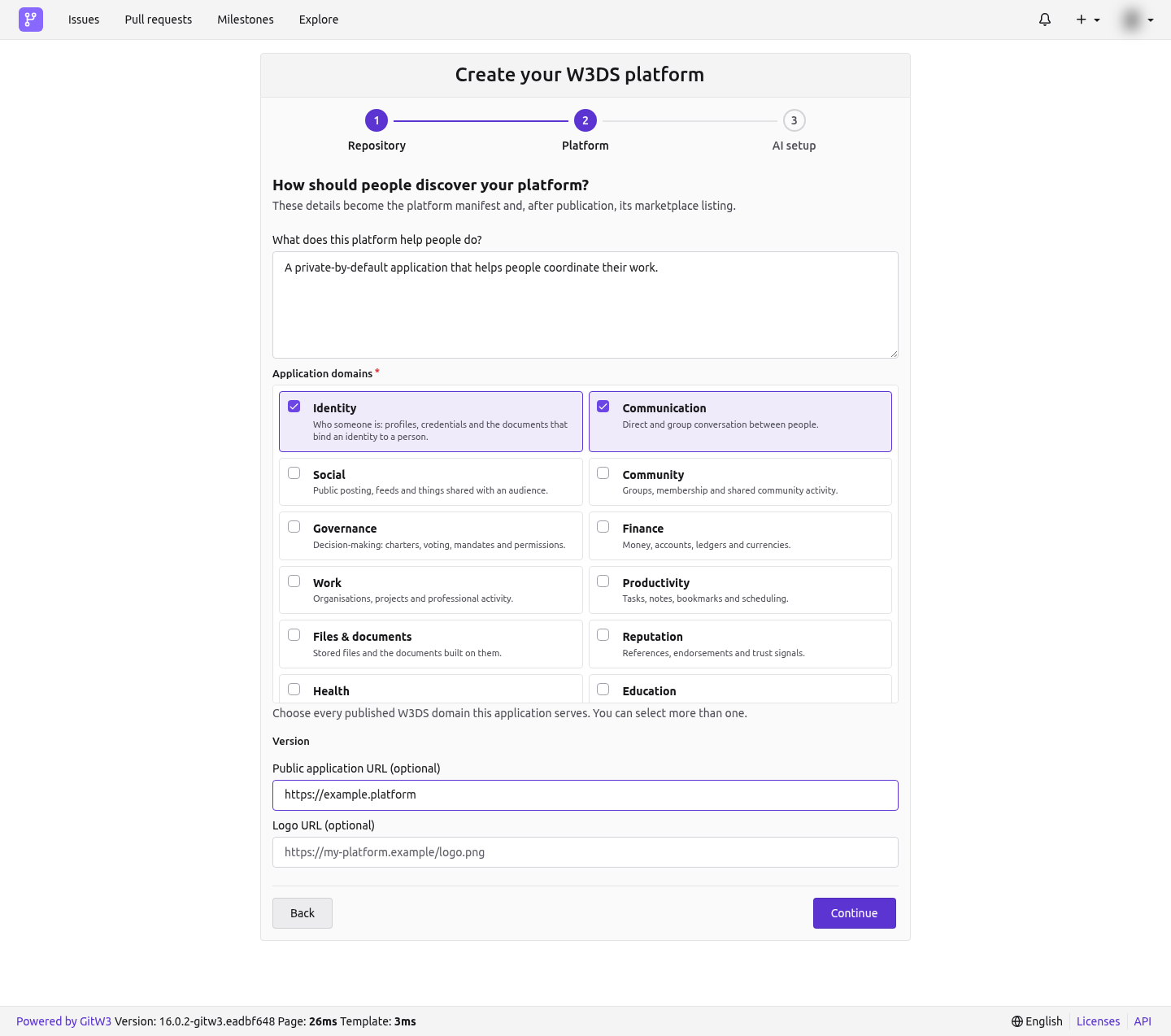
The version is controlled by Git releases, not entered in this form. The initial version is 0.1.0 until a stable semantic release becomes the repository's published version.
You can leave the application URL empty while building. It is required before applying for PPA.
Step 3: AI setup
Choose whether GitW3 should show the quick install for the W3DS coding-agent skill.
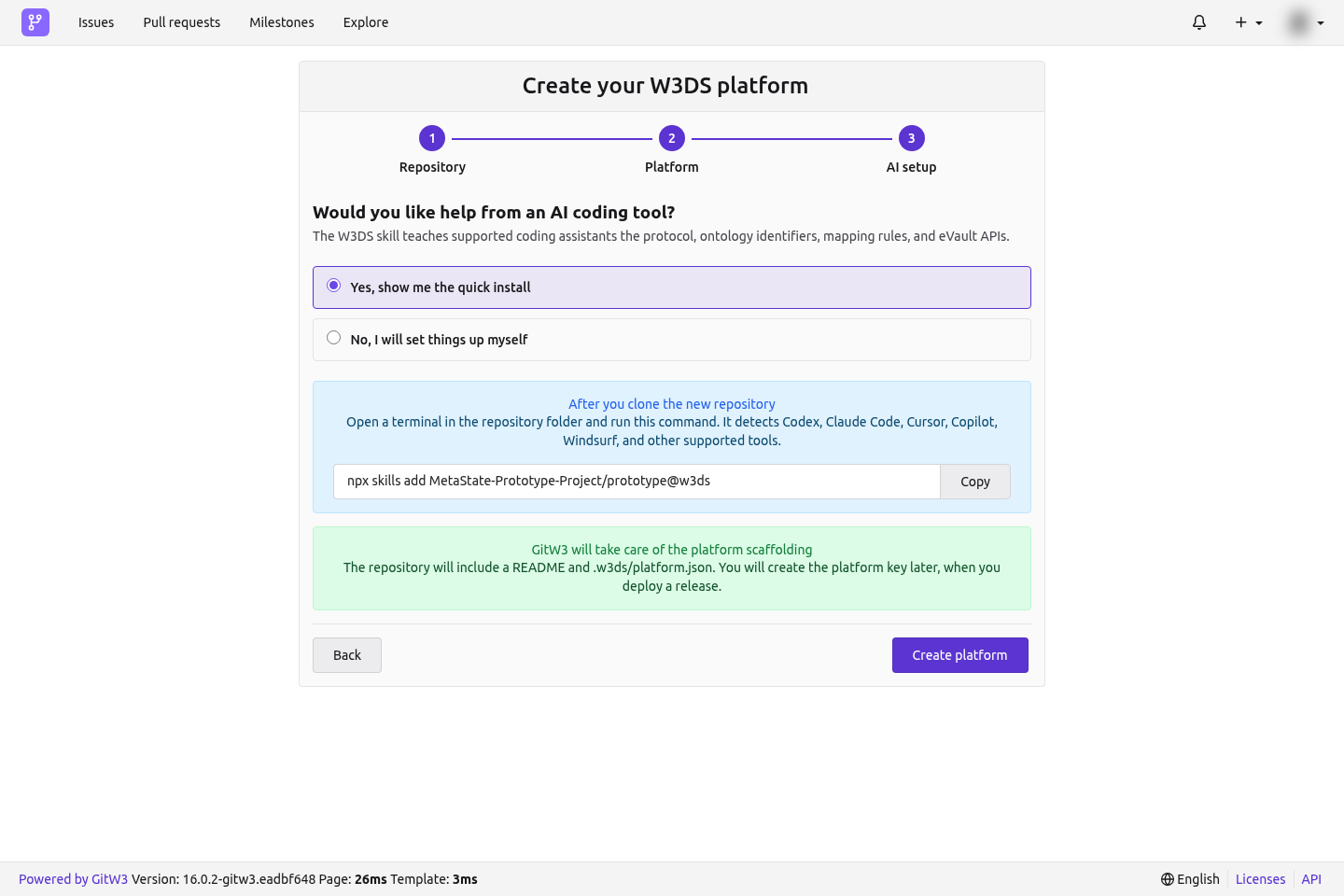
The command works with supported agents including Codex, Claude Code, Cursor, Copilot, and Windsurf:
npx skills add MetaState-Prototype-Project/prototype@w3ds
Select Create platform. GitW3 creates:
- the repository;
- an initial README;
.w3ds/platform.json; and- the first commit on the default branch.
It does not create or expose a reusable platform private key. The permanent platform identity and its eVault are provisioned automatically without an application or deployment key.
After creation
The welcome page shows the permanent eName as soon as publication completes. Keep the page open or return to the W3DS tab later; provisioning continues in the background.
Next:
- Clone the repository and push the application code.
- Open the W3DS tab and confirm the manifest and identity status.
- Add the public application URL when the deployment is reachable.
- Publish a stable semantic release such as
v0.1.0. - Apply for a PPA certificate for that exact version.
- Register a deployment from the Deploy tab.
See The platform manifest and W3DS workspace for the generated file and editable fields.